The popular HP W1470A and HP W1470X compatible toner cartridges are now available with NEW chips! No more swaping used chips and guessing how many more copies are left on your toner. The new compatible toners with chips will read your printer toner levels. The cartridges Read more
About the Care and Maintenance of Your Printer
Information, articles and "How To" video instructions about printers.
HP LaserJet Pro 4001 and 4002 series toners are in Stock Now!
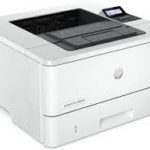
Looking for a compatible toner for your HP LaserJet Pro 4001, HP 4101, HP 4002, and HP 4102 printer? They are in stock and ready to ship! These cartridges come with a new chip, which will read the toner page count. We recommend disabling your printer firmware updates to Read more
Why does my HP laserjet MFP M234sdwe printer not work with compatible toners
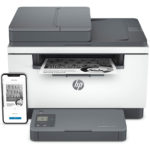
If your printer is an HP laser jet MFP M234sdwe, it will not work with compatible (aftermarket) toner cartridges. That's because HP has recently migrated to a new online software (HP+ Smart) to manage your printing and cartridge supply purchases. Certain printer models Read more
Latest Firmware Update for HP 972A, 972X, 976Y, 981A, 981X, 981Y
Recently, HP released another new firmware update, version 2313A, for the HP 972/976/981 series printers. It will ONLY affect compatible/remanufactured cartridges IF the firmware is installed. Therefore, we recommend that you disable the automatic firmware update feature on Read more
How to Prevent Firmware Lockouts in HP M255, M282, M283 MFP
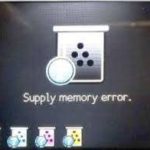
Is the latest firmware update preventing you from using remanufactured and compatible printer cartridges? With these easy steps, you can prevent automatic firmware updates in the following models: HP LaserJet Pro M255, M282, M283 MFP printers and related printer Read more
How to remove and replace toner collection unit in HP M552, M553, M554, M555
Confused about replacing the toner collection unit in your HP M552, M553, M554, M555 color laserjet Enterprise printer? Follow these easy steps or watch the video: Open the front cover of your printer Open the toner collection unit door located on the upper-left side Read more
HP CF258X JUMBO Now in Stock
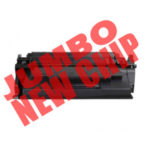
Out of toner already? One of the most popular toner cartridges on the market is now available in jumbo size! Here are the options for your HP M404n, HP M404dn, and HP MFP M428 series printer toners: HP CF258XJ compatible jumbo size with new chip yields 15,000 pages - Read more
Troubleshooting Poor Prints with your Brother Laser Printer
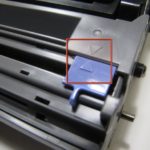
When running jobs with your Brother printer, poor print quality can occur for a variety of reasons, many of which have very simple fixes. With a little detective work, and the following tips for particular issues, you could have your printer back to putting out perfect Read more
What is the Difference Between No-Chip, Reused Chip and New Chip?
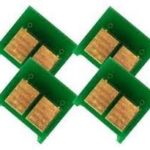
With increasing availability of compatible toner cartridges with different types of chips, it can be difficult to select the best option for your specific needs. Here is what's currently available for some of the latest compatible cartridges: Compatible Cartridges Read more
How to Replace Toner in Brother MFC L2750dw Printer
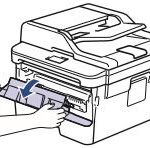
Follow these easy steps to replace the Brother TN-760 adn TN-770 toner cartridges: Ensure the printer is turned on Gently open the front cover by pulling on both sides. Using the handle, remove the drum unit and toner cartridge assembly from the printer and Read more
- « Previous Page
- 1
- 2
- 3
- 4
- …
- 18
- Next Page »