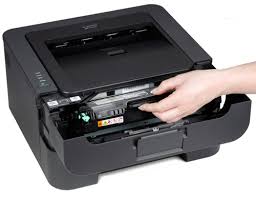
If you own either Brother hl-2270dw or hl-2240d printers you might run into a problem with the toner light staying on not allowing you to print. If this problem persists even after you replaced the toner, your printer might need a simple reset. Just follow these easy steps to fix the issue and reset the toner sensor:
1. Open the front cover and leave it open while performing the following steps
2. Turn the printer off
3. Hold down the GO button while turning the printer on. All lights should now be on.
4. Release the GO button or Start button
5. Press the Go button or Start button two times
6. Pause and wait. All lights should be on.
7. Press the Go button or Start button 5 times
8. The toner light should now be off
9. The paper light should be on or flashing
10. Close the front cover
11. The ready light should be the only light on
12. You might need to reboot your computer to resume normal printing
If you continue to experience printer problems ever after resetting your toner, contact us at 760-431-3756. We provide printer service and repair near San Marcos, Escondido, Vista, Carlsbad, Encinitas and La Costa.